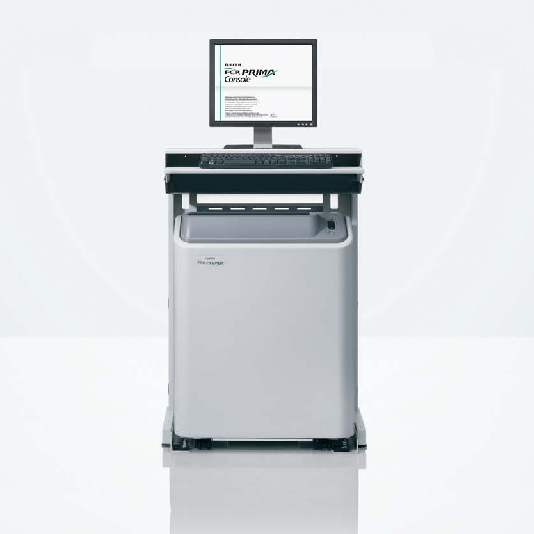
The FCR PRIMA is one of the most compact and lightweight reader units on the market. The required space is comparatively smaller than other similar table-top systems and can be installed in any open space. Another advantage of this unit is that you don’t need a darkroom any longer.
Flexible reading in various sizes
The IP cassette can read various imaging sizes such as for the chest, lumbar spine, pantomography (15 x 30cm*), and extremities. Virtually all imaging requirements can be satisfied with a single unit.
The FCR PRIMA Console is a complete image management workstation that is designed for simple and fast patient identification, image acquiring and processing, as well as image viewing, reprocessing, optimizing, and archiving.
Quick display with simple operation
Easy to use menus that guide your operation from image taking to diagnosis. You can customize the user interface according to your preference such as adding shortcut buttons or removing unneeded ones. Just input the patient information and select the Exposure Menu, then a suitable image processing condition will be automatically applied and the adjusted image will be displayed for diagnosis.
Various diagnostic functions
The FCR PRIMA Console is a multi-functional unit that has functions to:
change the magnification of an image
display the studied images side-by-side
compare the latest image with the archived images
measure the length, angle, etc. of the image
add annotation text, graphic symbols, and electronic markers to an image
ARCHIVE
Integrated management of image data and patient information
You can register a maximum of 200,000 patient information on the PC. The registered patient information can then be speedily retrieved and displayed by entering the patient name and ID number. Patient information can also be retrieved from a DICOM MWM server*.
*Requires an optional software.
Less storage space
All images are stored in the HDD of the PC. These high-quality images can be copied to a DVD or NAS (Network Attached Storage) as backup. This digital system requires less storage space than an analog imaging system.
The PDI (Portable Data for Imaging) function
By bundling the Simplified DICOM Viewer Software with the patient information onto CD-R or DVD-R, images can be distributed to patients for viewing on their PCs.
Other Features
Throughput of up to 29 images an hour
Repeated use of IP
Limit of access to patient information for security
Uses a suitable monitor for medical image display
Preset image processing for more effective diagnosis